
Setting up two-factor authentication enforcement (2FA enforcement)
Two-factor authentication (2FA) enforcement lets account owners require all users on their Flockler account to set up 2FA. Once enabled, any member without 2FA will be prompted to set it up the next time they log in, and any new user invited to the account won't be able to finish creating their account without setting up 2FA first.
⚠️ Please note: MFA enforcement is available only for Pro and Premium plans. If you're on a different plan and would like access, please contact our team to find out what plan is best for your needs.
📱 Before you start
Only account owners can turn on MFA enforcement. Before you can enable it for your team, you'll need to enable 2FA on your own account first. See Setting up two-factor authentication (2FA) for those steps.
🔐 How to enable MFA enforcement
- Click your username in the top-right corner.
- Select Settings.
- Go to the Users tab.
- In the Security section, toggle Require two-factor authentication for all members to On.
If you haven't enabled 2FA on your own account yet, you'll see a reminder here with a link to your account security settings — you'll need to do that first before the toggle can be turned on:

Once enforcement is on, all users will see their current MFA status (MFA Enabled or MFA Not Enabled) listed next to their name in the Users list. Only account owners can see this for all users:

🔑 What happens next
- Existing users who are already logged in: nothing changes right away. Enforcement won't interrupt an active session. The requirement kicks in the next time that user logs in.
-
Existing users without 2FA, at their next login: they'll be asked to set up 2FA before they can continue to their dashboard. They'll see a QR code and setup key, just like the regular 2FA setup flow, and won't be able to access Flockler until verification succeeds:
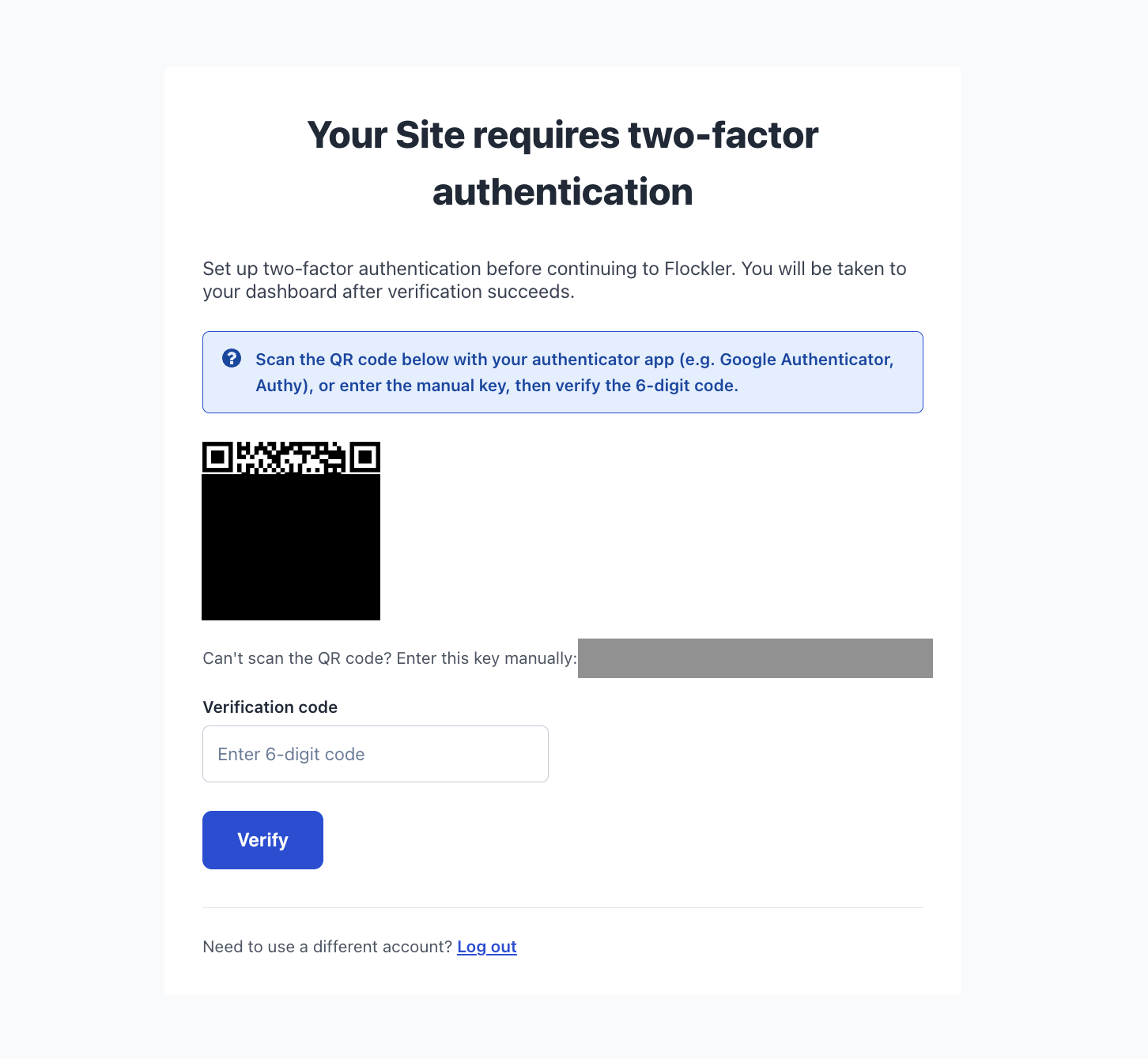
- New users you invite: if someone is invited to an account with MFA enforcement on, they won't be able to complete their account creation and log in without setting up 2FA first.
🔓 Turning off MFA enforcement
Account owners can turn enforcement off at any time:
- Go to Settings > Users.
- In the Security section, toggle Require two-factor authentication for all members to Off.
Turning enforcement off doesn't disable 2FA for individual users who've already set it up — it just removes the requirement for members who haven't.
🙌 Need a Hand?
Our support team is here for you every step of the way. You can reach us via Messenger in the bottom‑right corner, or email us to team@flockler.com