
How do I upgrade/downgrade my subscription?
You can upgrade or downgrade your Flockler subscription at any time from your account settings.
How to change your plan
- Make sure you’re logged in as the owner of the Flockler site.
- Go to the top‑right corner, click your account name, and select Settings > Subscription.
- Choose the plan you’d like to switch to and click 'Upgrade' (or Downgrade).
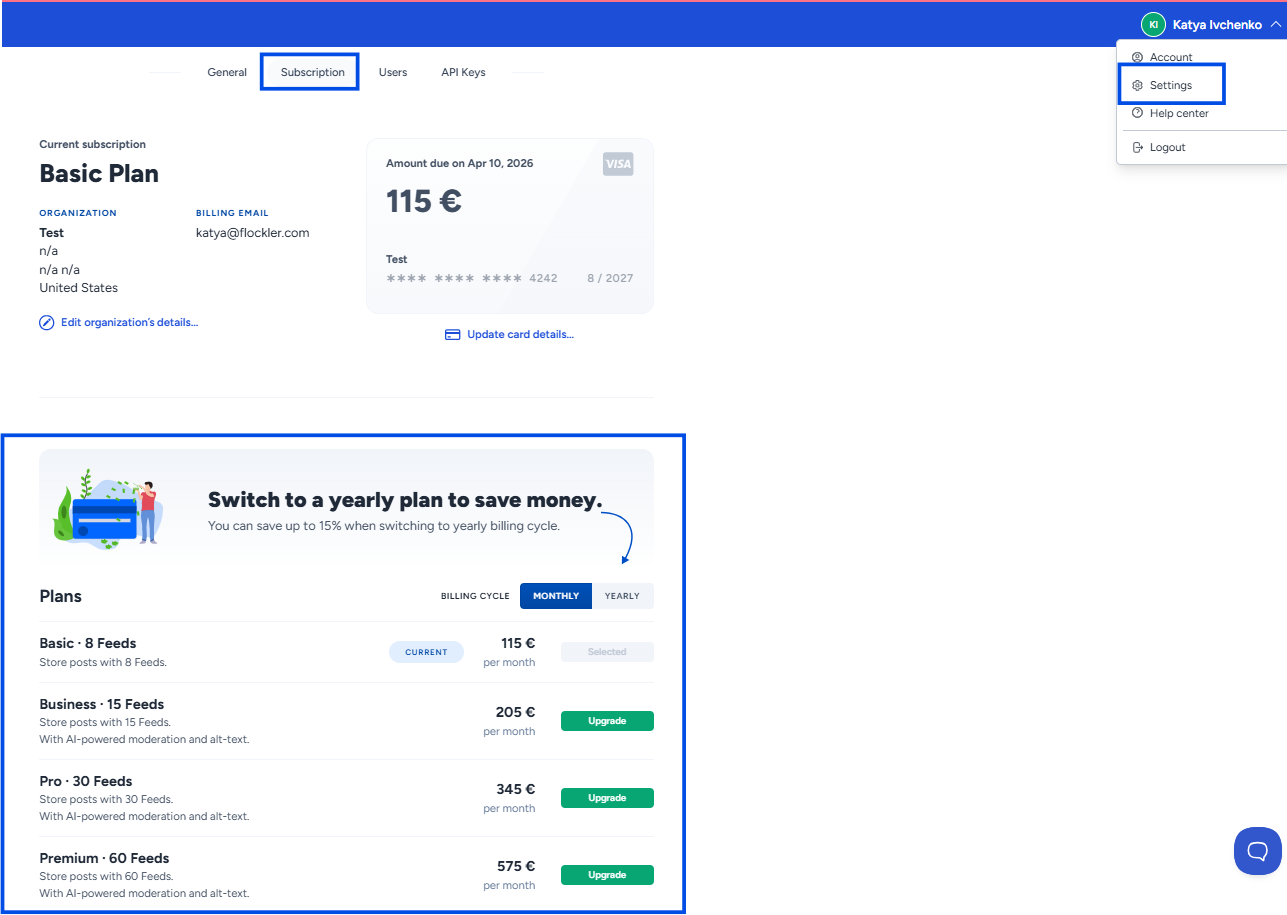
If you upgrade in the middle of a billing cycle, you’ll only pay the price difference. New feeds and additional functionalities are added immediately, and your next charge will reflect the updated plan.
Flockler plans are flexible, so you can adjust your subscription whenever your needs change.
Need help choosing the right plan?
If you have questions about pricing or which plan is the best fit, we’re happy to help.
Reach out via the Messenger in the bottom‑right corner of the page or email us at team@flockler.com