
Layouts management and visibility
On the Display tab under Previously Created Layouts you have a complete overview of every layout you've created. From one place, you can see which layouts are currently in use, identify unused layouts, and view exactly where each layout is embedded.
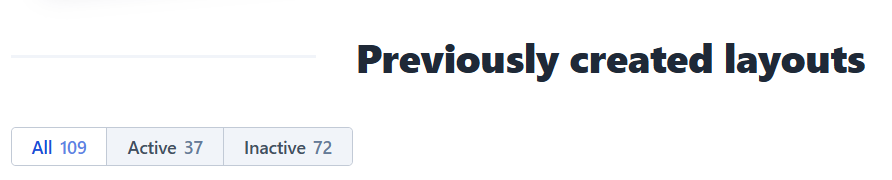
At a glance, you can see the following tabs available:
- All layouts – The total number of layouts in your account.
- Active layouts – Layouts that are currently embedded on your webpages or digital screens.
- Inactive layouts – Layouts that have been created but are not currently in use.
❗️Note: A layout's status reflects what Flockler can track, not necessarily whether it's live. Iframe embeds are especially prone to this as Flockler relies on document.referrer to detect them, so a no-referrer policy on the embedding site will strip that value and show the layout as Inactive even if it's genuinely live.
If you believe a layout is live but shows as Inactive, check whether a no-referrer policy is in place.
Manage Your Layouts
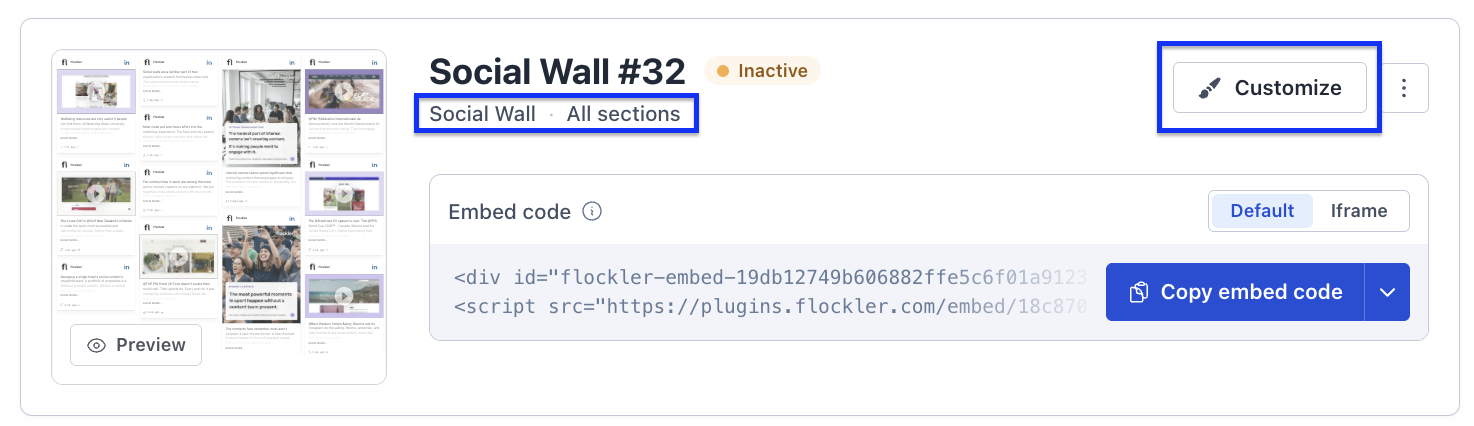
Each layout includes quick references and actions to help you manage and update it:
- Section – View the content displayed on the layout.
- Customize – Modify the layout's appearance and styling.
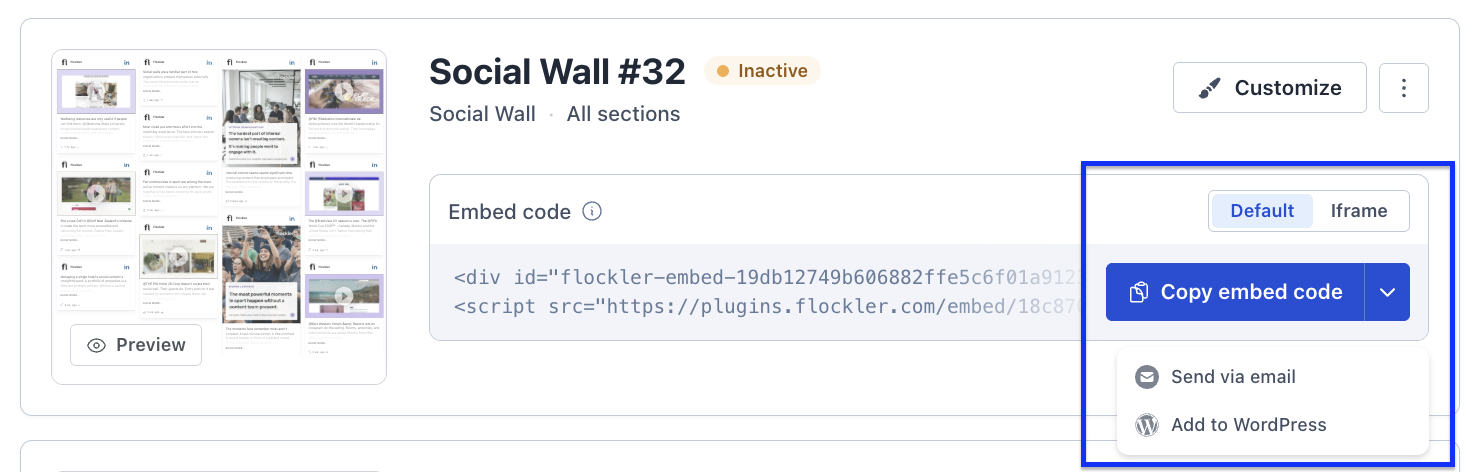
When embedding a layout, you can choose the method that best fits your environment:
- Default embed code
- iframe embed
- WordPress plugin embed
Layout statuses
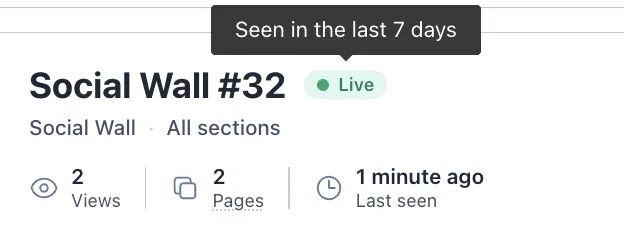
🟢 Live
The layout is currently embedded on a page, and Flockler was able to detect it there within the last 7 days.
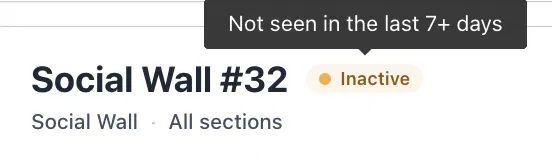
🟠 Inactive
Flockler hasn't been able to detect the layout on any page in the last 7+ days. This doesn't necessarily mean the layout is broken or removed, it just means Flockler's tracking couldn't confirm it's still embedded somewhere. Common causes include:
- The embed code was removed from the page
- The page it was on was taken down or moved
- A caching/CDN setup is preventing Flockler's tracking script from firing
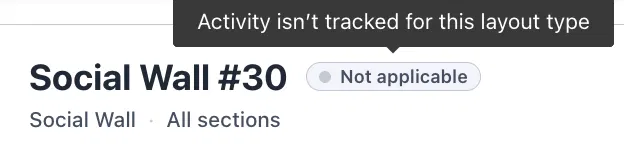
⚪ Not applicable
Activity tracking doesn't apply to this layout's type, for example, layouts built for digital signage/screens rather than web pages, so there's no webpage traffic to measure.
Search, Filter, and Sort
Finding the right layout is quick and easy with built-in management tools:
- Search for layouts by name or by Sections.
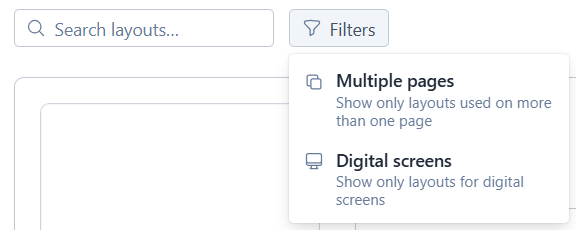
- Filter layouts by embed location, such as webpages or digital screens.
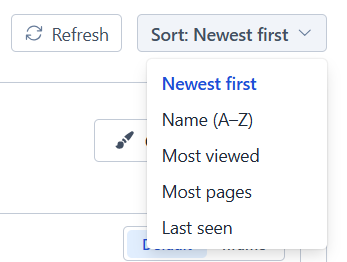
- Sort layouts using your preferred criteria.
Performance Insights
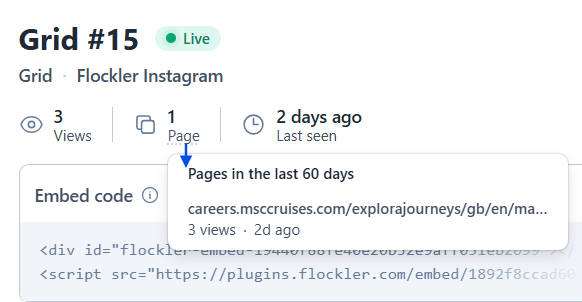
Each Active layout includes performance data to help you understand how it's being used:
- Views – See how many times the layout has been loaded.
- Embed locations – View every webpage where the layout is embedded.
- Last activity – See when the layout was last viewed.
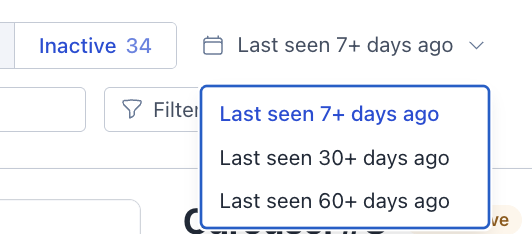
For layouts marked Inactive, you can filter by how long it's been since Flockler last detected them on a page:
- Last seen 7+ days ago – hasn't been detected in the past week
- Last seen 30+ days ago – hasn't been detected in the past month
- Last seen 60+ days ago – hasn't been detected in two months
This helps you prioritize. A layout that's been quiet for 60+ days is worth a closer look, while one that just crossed the 7-day mark might just be a low-traffic page or a temporary tracking hiccup.
These insights help you monitor engagement, identify underperforming layouts, and make informed decisions to optimize your content strategy.
🙌 Need a Hand?
Our support team is here for you every step of the way.
💬 You can reach us via Messenger in the bottom‑right corner