
Why LinkedIn requires Super Admin permissions to create or reconnect LinkedIn feed
To connect or reconnect your LinkedIn feed in Flockler, the LinkedIn account used for authentication must have Super Admin access on the Company Page you want to display posts from. This is how LinkedIn’s authentication system works: only personal profiles with the correct admin level can grant permission for external tools to access Company Page content, and this is why:
1. Company Pages cannot authenticate directly
LinkedIn Company Pages do not have their own login credentials. Only personal LinkedIn profiles can authenticate with LinkedIn.
This means a person must grant permission for external tools (like Flockler) to access company content.
2. Only Super Admins can grant API access
To protect company data, LinkedIn restricts API authorization to users with Super Admin permissions.
If the connected profile is not a Super Admin, LinkedIn will block the connection.
3. The personal profile acts as the authorization key
When you connect your personal LinkedIn profile, LinkedIn checks:
- Whether your profile manages the Company Page
- Whether you have the required admin level
If both conditions are met, LinkedIn grants Flockler permission to access and display posts from the Company Page.
4. No personal content is shared
Although authentication happens through a personal profile, only Company Page content is accessed.
Your personal posts, messages, and private information are never shared with Flockler.
5. This is the only method LinkedIn supports
LinkedIn does not allow:
- Direct login for Company Pages
- API access without administrator authentication
- API access via hashtags or public scraping
Connecting through a personal profile with Super Admin rights is the only secure and compliant method.
How to check if you have super admin permissions
Open your personal LinkedIn profile, and click the arrow next to the Me tab.
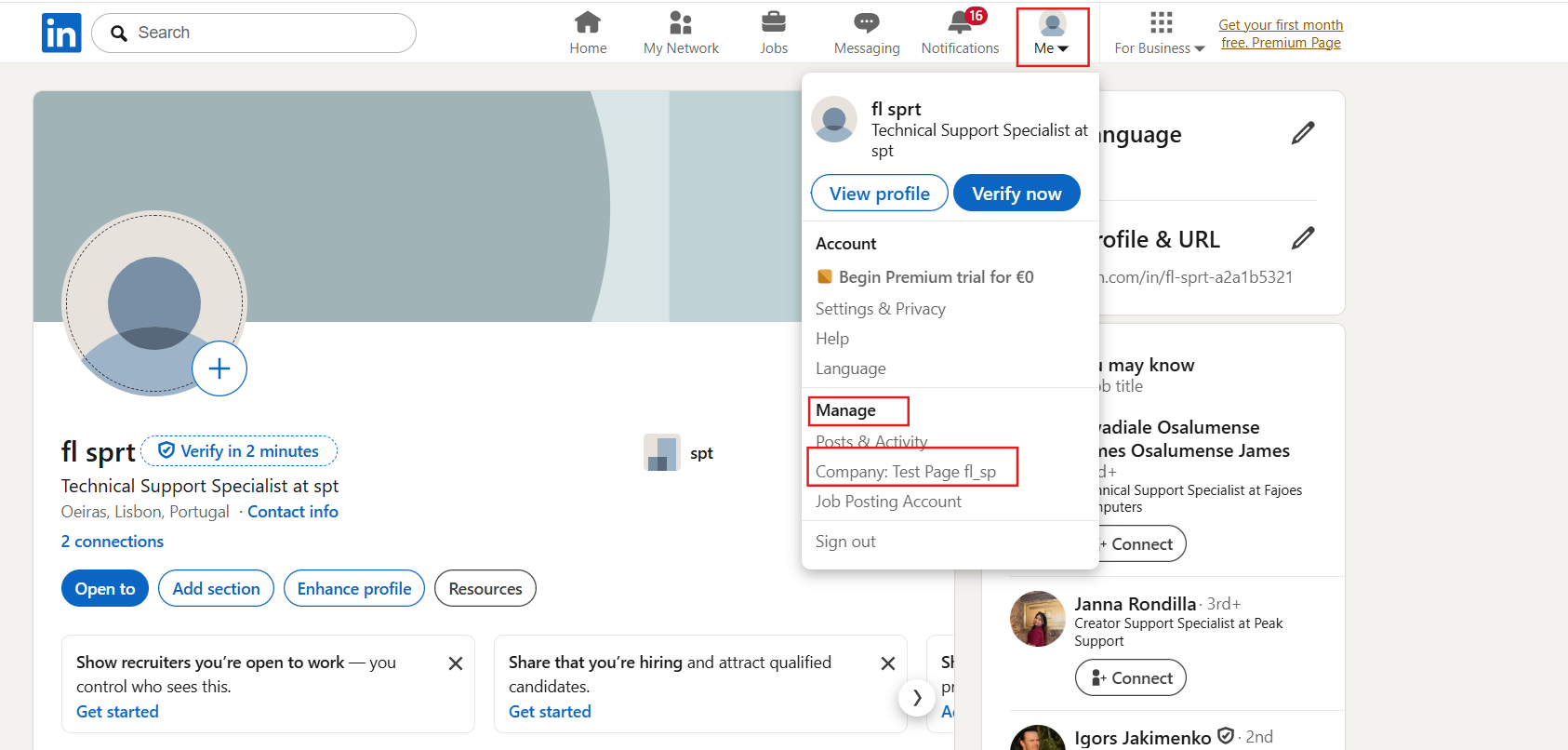
Under Manage, review the list of pages you administer. Select the Company Page you want to connect.
In the Page dashboard, go to Settings → Manage Admins
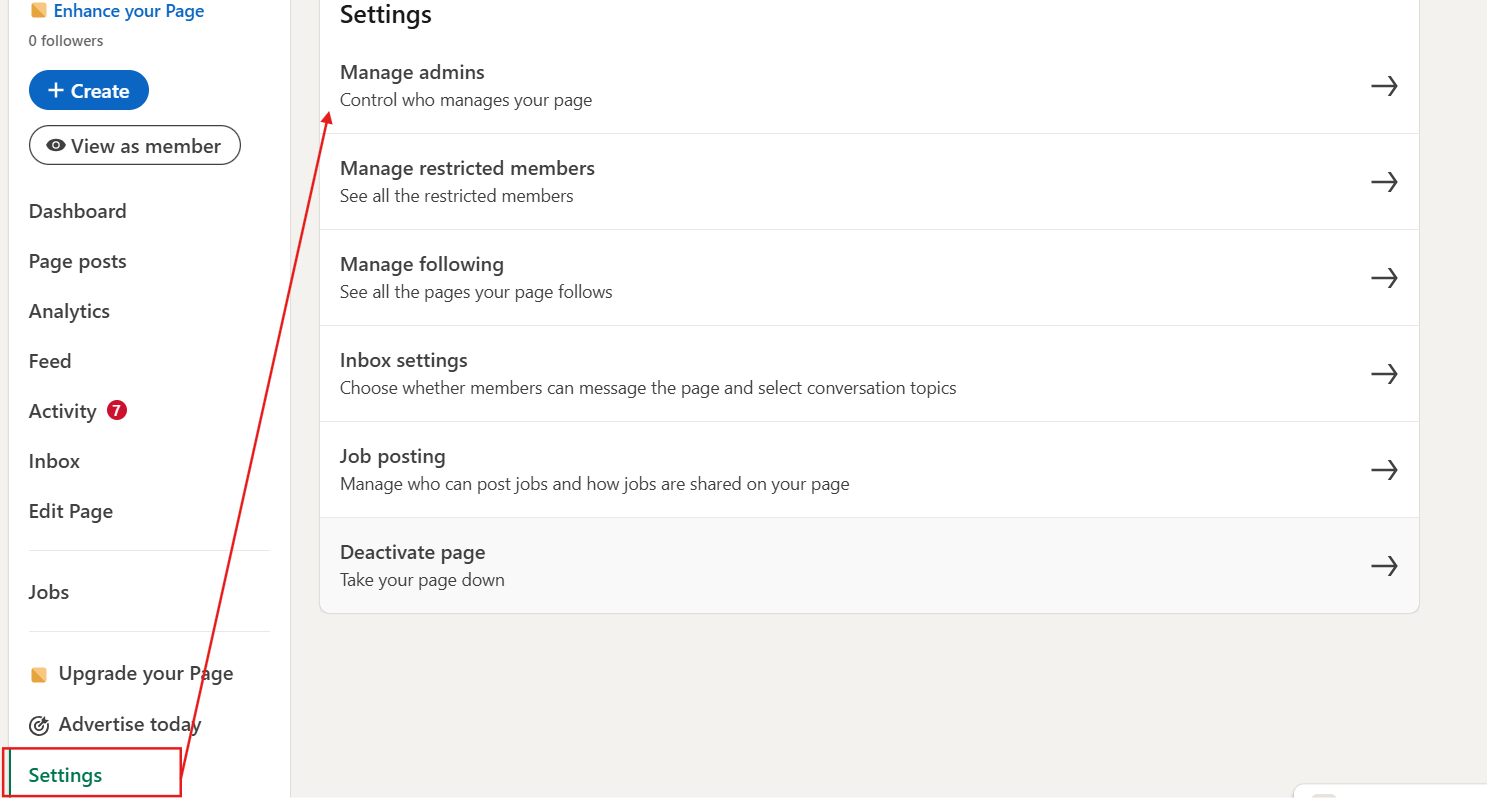
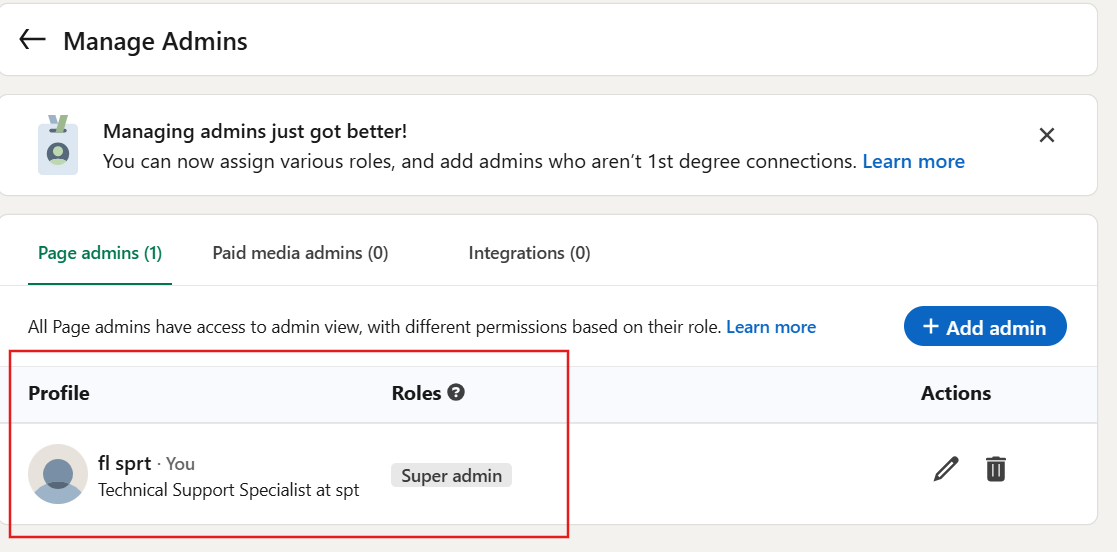
Verify your role level. You must be listed as a Super Admin.
🙌 Need a Hand?
Our support team is here for you every step of the way. You can reach us via Messenger in the bottom‑right corner, or email us to team@flockler.com