
Why are some Instagram posts, images, or videos missing from Flockler?
If you notice that certain Instagram posts don’t appear in your Content tab or on embed, the issue usually falls into one of the cases below.
The caption was edited after publishing.
Instagram does not include edited posts in hashtag search results available to third‑party tools. If the creator changed the caption after posting, the post will not appear automatically in your feed.
You can add missing posts:
Copy the link to the post
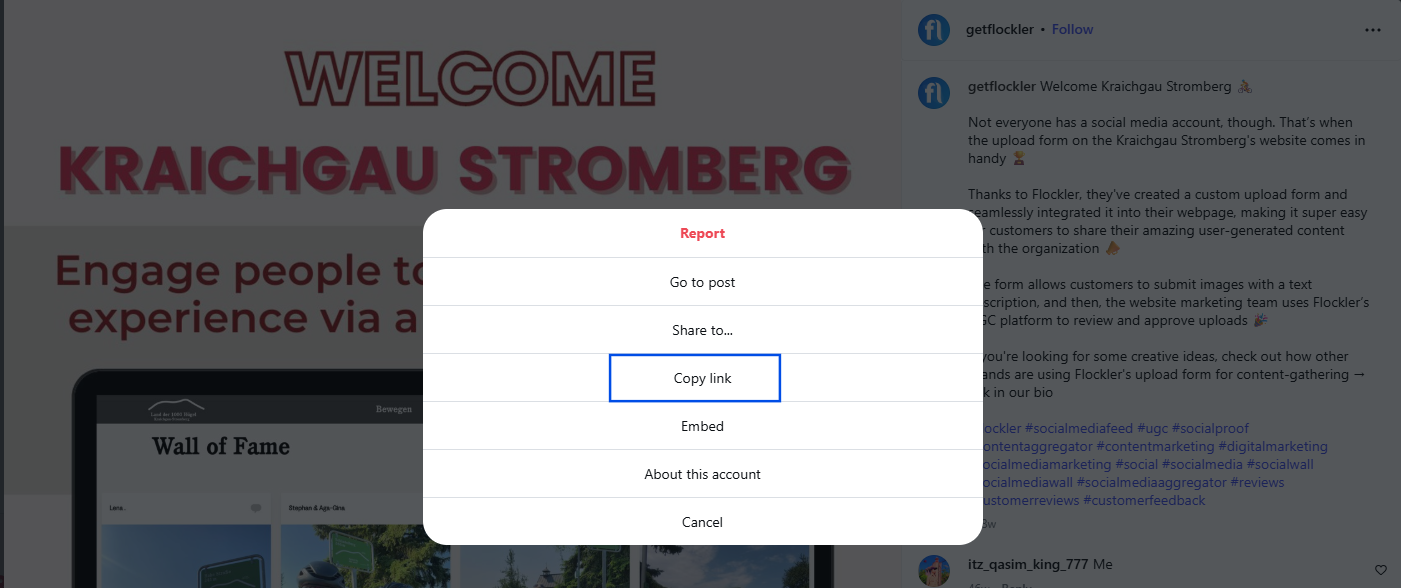
Open the Content tab in Flockler and select the section where the post should appear
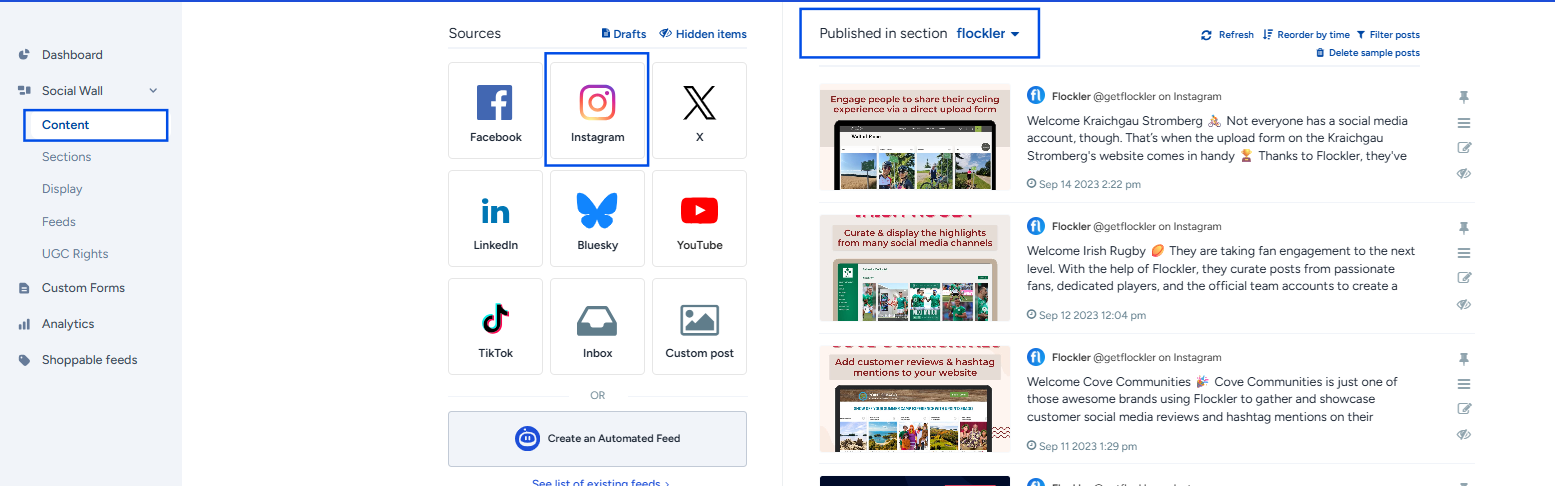
Choose Instagram from the left, and paste the link to the search field
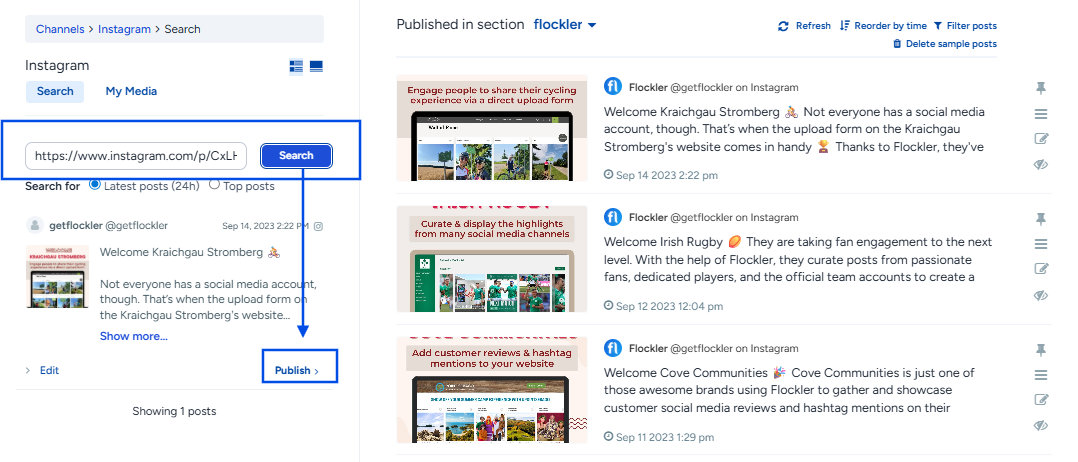
Click ‘Publish’ to add content to the section
The account is private.
Posts from private Instagram profiles are only visible to their followers. Instagram does not allow private content to be displayed in external services, including Flockler.
Embedding is disabled on the post
If the three‑dot menu on the Instagram post does not show an Embed option, the creator has restricted embedding.
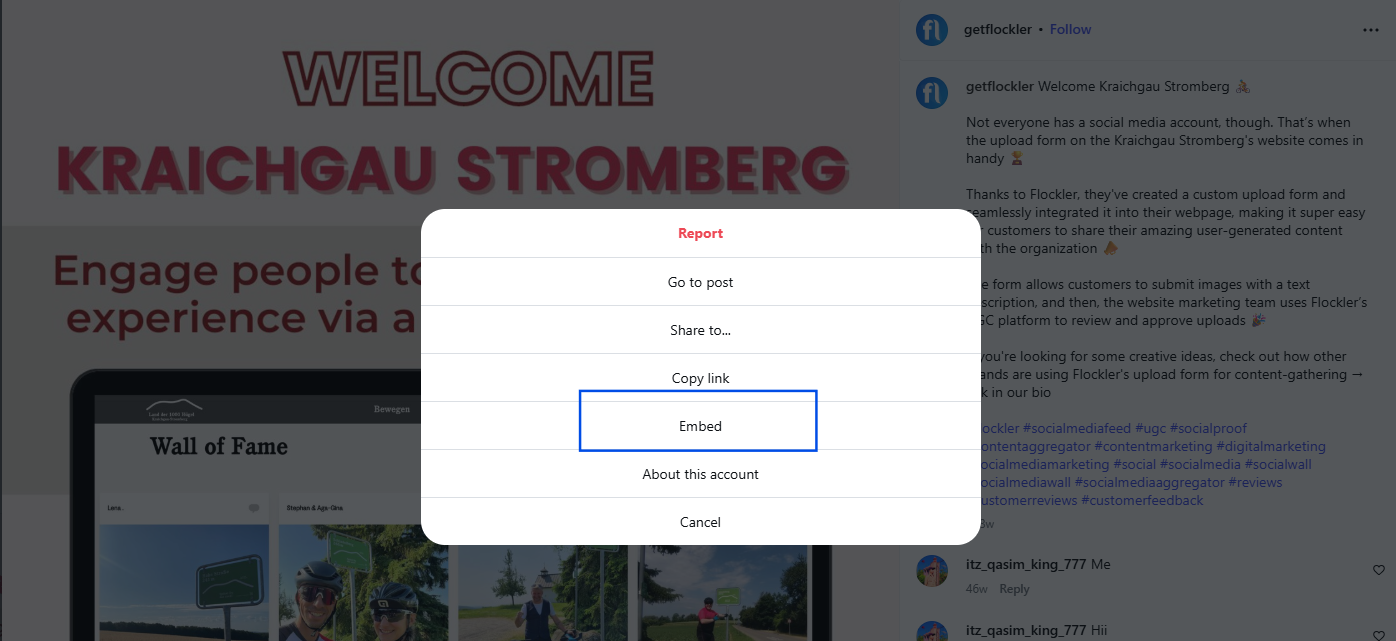
How to fix it:
The creator needs to enable embedding in their Instagram settings:
Settings → Account → Embeds → Allow embedding
Once embedding is allowed, the post can be displayed through third‑party services like Flockler.
Instagram blocks the content due to its policy.
Images related to restricted topics (for example, alcohol or weapons) may not be available through the API and therefore won’t show in Flockler.
The post wasn’t created by your account.
If your feed is configured to collect posts from your own account, it will only pull posts you created. It will not include:
- Collaborated posts
- Posts where you are tagged
- Posts mentioning you
To collect these, you need to set up a separate feed that gathers posts mentioning your username.
🙌 Need a Hand?
Our support team is here for you every step of the way.
💬 You can reach us via Messenger in the bottom‑right corner.