
How do I store and display posts of my Facebook Page?
Pulling your Facebook content to Flockler takes only a moment. Follow this simple guide to get everything connected.
Check how easy it is to set up and display!
Log in to Flockler and open the Feeds tab. Click Add a new automated feed to start.

Select Facebook and sign in with your Facebook account.
Make sure the account you use has admin permissions for at least one public Page. After connecting, you can choose which Public Page you want to pull content from.

If you want to display posts from a Page you don’t manage, simply type the Page name.

Choose what type of content you want to collect.
You can filter posts by a specific keyword or pull all posts from the Page.

If you select a Page you manage

You’ll see additional options such as:
- Posts from admins/managers
- Mentions of your company
- Recommendations or reviews

Add it to an existing section or create a brand‑new one.

Choose your moderation style. You can let Flockler’s AI sort the posts, check them manually, or publish automatically.

Visit the Content tab to organize, adjust, and review what’s coming in.

When your feed is ready, go to the Display tab, click Create a new layout, and pick a layout style.

and customize it before embedding
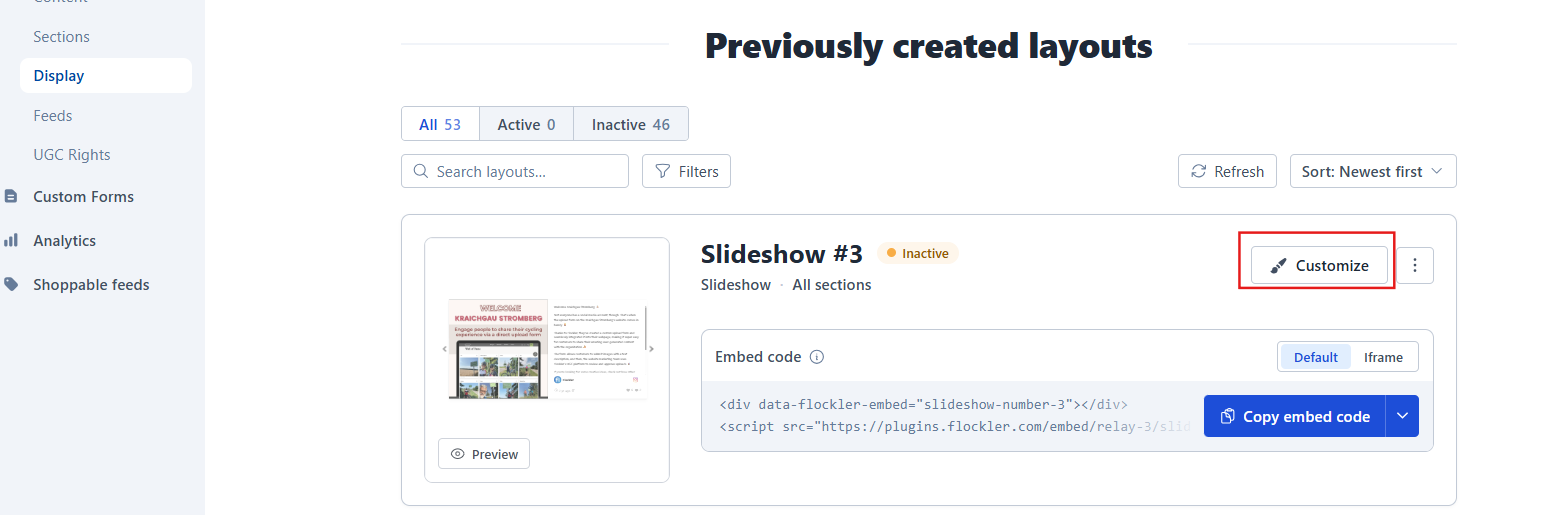
The last step is to add the embed code to your website, and the content shows up! Here are tutorials for WordPress, Wix, Squarespace, Webflow, Shopify, Drupal, TYPO3, Joomla, and Weebly.
🙌 Need a Hand?
Our support team is here for you every step of the way.
💬 You can reach us via Messenger in the bottom‑right corner